Verified client
Our team was manually exporting and re-entering data between Access and Outlook every single day. Their VBA programmer automated the entire workflow in about two weeks. We got back roughly 8 hours a week almost immediately.
Microsoft Access services · Fixed-scope · US, UK & Canada
Repair, build, migrate, and automate—pick the service that matches your problem.
This hub lists our Access offerings. For strategy, audits, and engagement scoping, talk to an MS Access consultant—custom databases, VBA, SQL Server upsizing, and corruption recovery under a written quote.
20+ years·Fixed-scope quotes·US, UK & Canada
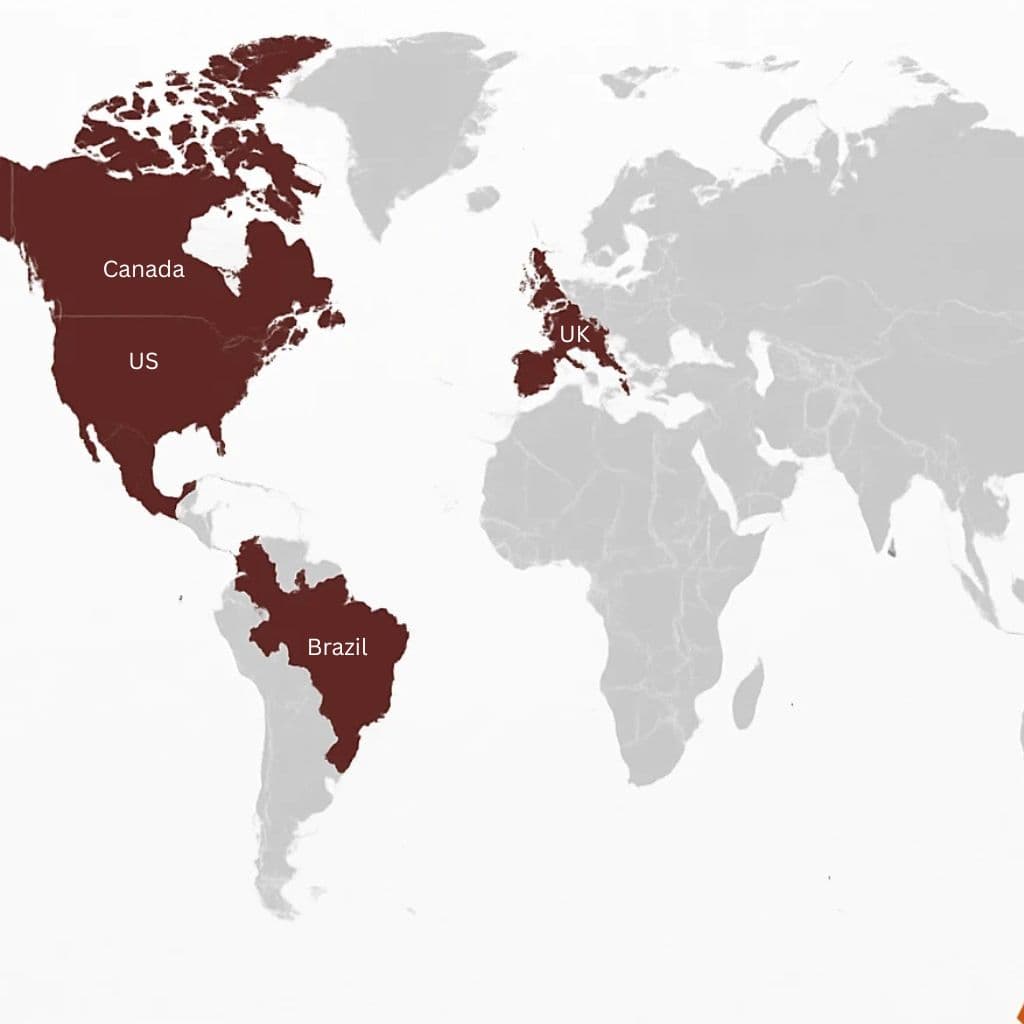
Organizations using our Access work
Manufacturing, services, retail, and healthcare-real databases in production, not demos.














If your team hits file locks every afternoon, inherited undocumented VBA, or pressure to “just migrate to the cloud,” you need a scoped engagement: what is broken, what it costs to fix, and what we deliver. That is what this hub is for.
15 minutes on users, pain, and risk. Free. You leave with a clear next diagnostic step.
Fixed-price proposal before billable work. No surprise invoices.
Delivery against the agreed scope—with checkpoints you can review.
Documentation and optional follow-on support under a separate written package.
Service catalog
Each card is a scoped offering with its own page. Start with the problem you have today.
Microsoft Access development & design
End-to-end Microsoft Access development-tables, relationships, forms, and logic built around how you actually work.
View service →Structured design, normalization, and scalable architecture so your Access database solutions stay fast as data grows.
View service →Professional reports and data-entry forms that reduce errors and speed up approvals.
View service →Automation, validation, and integrations-Microsoft Access development that eliminates repetitive manual steps.
View service →Diagnosis-first Access consulting: health checks, architecture review, and fixed-scope delivery.
View service →Migration, upgrades & performance
Safe version upgrades and restructuring without losing data or breaking linked applications.
View service →Move to SQL Server when you need more users, security, or performance-keep Access as the front end if it fits.
View service →Fix slow queries, bloated files, and locking issues-restore speed for your team.
View service →Support, repair & dedicated specialists
Our team was manually exporting and re-entering data between Access and Outlook every single day. Their VBA programmer automated the entire workflow in about two weeks. We got back roughly 8 hours a week almost immediately.
We had them do a complete rewrite of an Excel spreadsheet that locked up computers, when it was executed. Rajan did a good job of rewriting the spreadsheet and speeding it up. it takes three seconds to refresh compared to 20 minutes it was taking earlier. We'll definitely use Rajan and his team in the future.
Why clients engage us
We find the real bottleneck—locking, indexes, VBA, or architecture—before spending your budget on the wrong fix.
Clear scope and fixed-scope pricing. Fast response. No retainer required to begin.
Line-of-business systems used daily by ops and finance—not throwaway prototypes.
Screen shares, secure file handoff, and timezone-friendly calls across the US, UK, and Canada.
BOMs, work orders, barcode flows-see our inventory case study.
See related work →Project tracking, time, and billing-similar to our project tracking Access database work.
See related work →Consolidated reporting and daily operations-see retail business management.
See related work →Scheduling and time capture-employee timecard tracking example.
See related work →Excel chaos to structured data via Excel-to-Access paths and SQL upgrades.
See related work →Nobody types into tables. The forms are the system as far as your team is concerned, and a database people avoid is one that quietly fills with bad data. The forms that work share the same characteristics: they show one job at a time rather than every field in the table, they validate as the user types instead of failing on save, they default the obvious values, and they let someone complete a record without reaching for the mouse.
The same applies to reports. A report that has to be exported and reformatted before anyone can read it is not finished. We build them to come out the way they are actually used — grouped and totalled the way your business talks about the numbers, filtered by the period or account someone chose on screen, and printable or emailable without a round trip through a spreadsheet.
Where a form is slow, it is nearly always bound to an entire table rather than the handful of records it displays. That is a design fix, not a hardware problem, and it is one of the most common things we correct on databases we inherit.
Most databases we are called about had been giving warnings for months. These are the ones worth acting on before they become an emergency: the file is repaired more than once a quarter; it is approaching the 2GB ceiling; staff have agreed among themselves to take turns because two people at once causes problems; the person who built it has left and nobody can explain the VBA; reports have started disagreeing with each other; or new requests get refused because changing anything feels too risky.
None of these mean you need to replace the system. They mean the next step should be a diagnosis rather than a guess — whether that ends in tuning, splitting it properly, moving the data to SQL Server, or leaving it alone because it is fine for another two years. Getting that answer in writing is the cheapest part of the whole exercise.
Book a free 15-minute consultation. We clarify the problem, users, and risk, then send a written scope and fixed quote before billable work begins.
We provide fixed-cost project estimates based on the business value we deliver. Projects typically start at $1,200, though smaller fixes are often less and larger systems cost more. After a free review, you receive a written scope and fixed quote - not an open-ended hourly bill. Simple fixes are quoted as small packages; custom databases, migrations, and automation systems are scoped as fixed projects after we review your requirements.
Yes. We deliver remotely with timezone-friendly calls across the United States, United Kingdom, and Canada.
Yes. Corruption recovery is a core service. We recover what we can, stabilize the file, and recommend structural fixes so the failure does not return.
When concurrent users, security, or file size outgrow a pure Access back end. We often keep Access forms and move data to SQL Server via linked tables.
Both. Many engagements start with diagnosis, then move into fixed-scope build, repair, or migration under a separate written scope.
Bring one concrete pain—locks, speed, corruption, or migration. We will outline the engagement path on the call.
Embedding ChatGPT or Claude into Access workflows? AI-powered workflow automation. Planning SQL? Access to SQL Server guide.
Guides & deep dives
Practical articles and service pages for teams using MS Access. Each link goes deeper on a specific problem - then connects to how we deliver the fix.
Tell us about your Excel or Access challenge and get a clear path forward.